|
Navigation: Reference Manual > The PRISM Modules > Concessions > Agreement List |
Send comments on this topic.
|
|
Navigation: Reference Manual > The PRISM Modules > Concessions > Agreement List |
Send comments on this topic.
|
The agreement listing provides general information about the concession agreements and options to perform routine management of an agreement.
The listing provide information on the agreement such as:
(1).gif) Agreement Number
Agreement Number
Agreement Name
Overall Goal
Concession Type
Contact Person
Gross Revenue Status
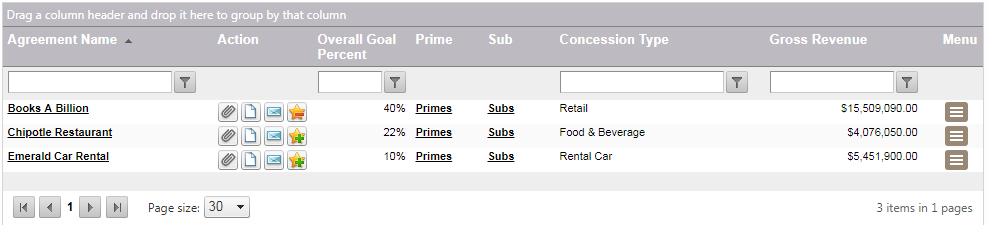
From this listing a user is also able to:
Agreement-level Correspondence
Create Notes associated with the agreement
Viewing/Modifying an Agreement,
To view an agreement:
1.Navigate through the grid and search to the target concession agreement, click on the concession name link.
To delete an agreement:
1.From the concessions main menu, navigate to the agreement.
2.Click on the Small Hamburger Menu to the right, and click on the "Delete Agreement" icon .png)
Note: If the agreement has primes, sub, or payments associated with it, a confirmation must be affirmed before the deletion can occur.
Delete Confirmation
.png)
|
PRISM Compliance Management - Copyright © 2026 Early Morning Software, Inc. |


